 Spain · Europe
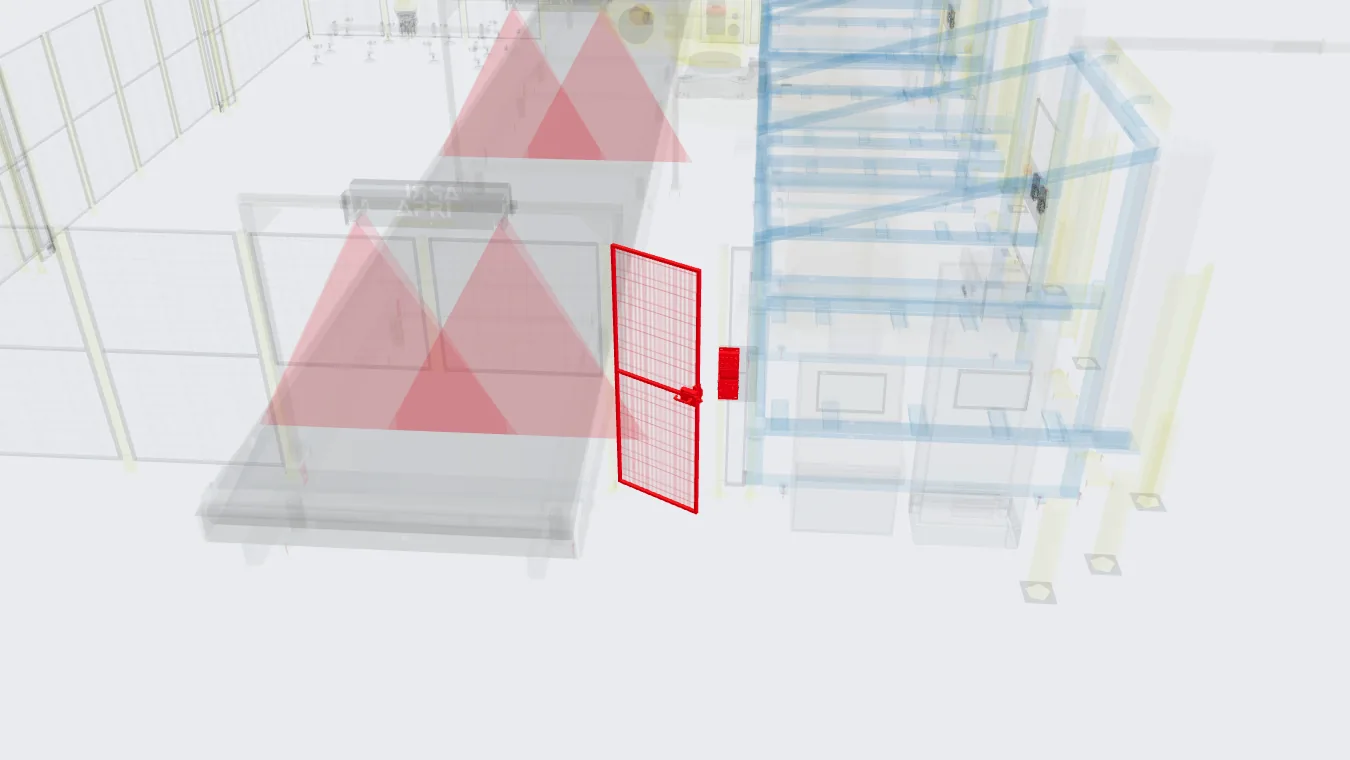
What it is, the way we do it
- Before manufacturing. The cell is modelled in 3D with the real robot to check reach, interference and cycle time.
- On the HMI. That same model goes onto the WinCC Unified screen and is coloured with the real status: doors, e-stops, racks and tools.
- In the browser. The model can also be viewed with Three.js in any browser, with nothing to install.
- To the MES. Production data and cell status are sent to the plant system over MQTT.
What you gain on the shop floor
- Faster diagnosis. The operator sees on screen which door is open or which e-stop is pressed, instead of searching an alarm list.
- Maintenance arrives knowing. Whoever goes to the cell already knows which element has the problem.
- Racks and tools in view. You can see which rack is full and which tool each robot is carrying.
- Data without handwritten notes. Parts, stoppages and statuses reach the MES without anyone copying them.
Why MQTT
MQTT is a lightweight publish-subscribe protocol. The cell publishes its data once and every plant system that needs it subscribes: the MES, a dashboard or a historian. If another system is added tomorrow, the cell program does not need to change.
What data is usually sent
- Good and bad parts per part number.
- Cell status: producing, stopped, in alarm or waiting for reset.
- Alarms with their time stamp.
- Completed racks or containers.
The plant decides what is sent. We agree on it at the start of the project, together with the message format.
A case: a racking cell in Hungary
The WinCC Unified screen shows the cell in 3D with the real status of doors, e-stops, racks and tools.
Production and cell status reach the plant system over MQTT.
What comes next
We are adding virtual commissioning: testing the real PLC and robot programs against the digital twin before the FAT.
What we need
- The plant's PLC and HMI standard.
- Which data the MES should receive.
- Schematics or a signal list, if the cell already exists.
Frequently asked questions
Can it be added to an existing cell?
Yes, if its PLC lets us read the signals. We model the cell in 3D and connect its status to the HMI and the MES.
What does the plant need to receive the data?
An MQTT broker or a system that can subscribe to the messages. If the plant does not have one, we look at it together at the start of the project.
Can you connect the cell to our MES?
Yes. We send production data and cell status to the plant MES over MQTT.